WordPress: The Concept of Header, Footer and Body
한국어로 읽기 →
A Page’s Header, Footer and Body
When you visit a page on a website, what are its biggest building blocks?
They’re the header, body and footer. Literally, think of them as the head, body and feet. Let me use my own page as an example!
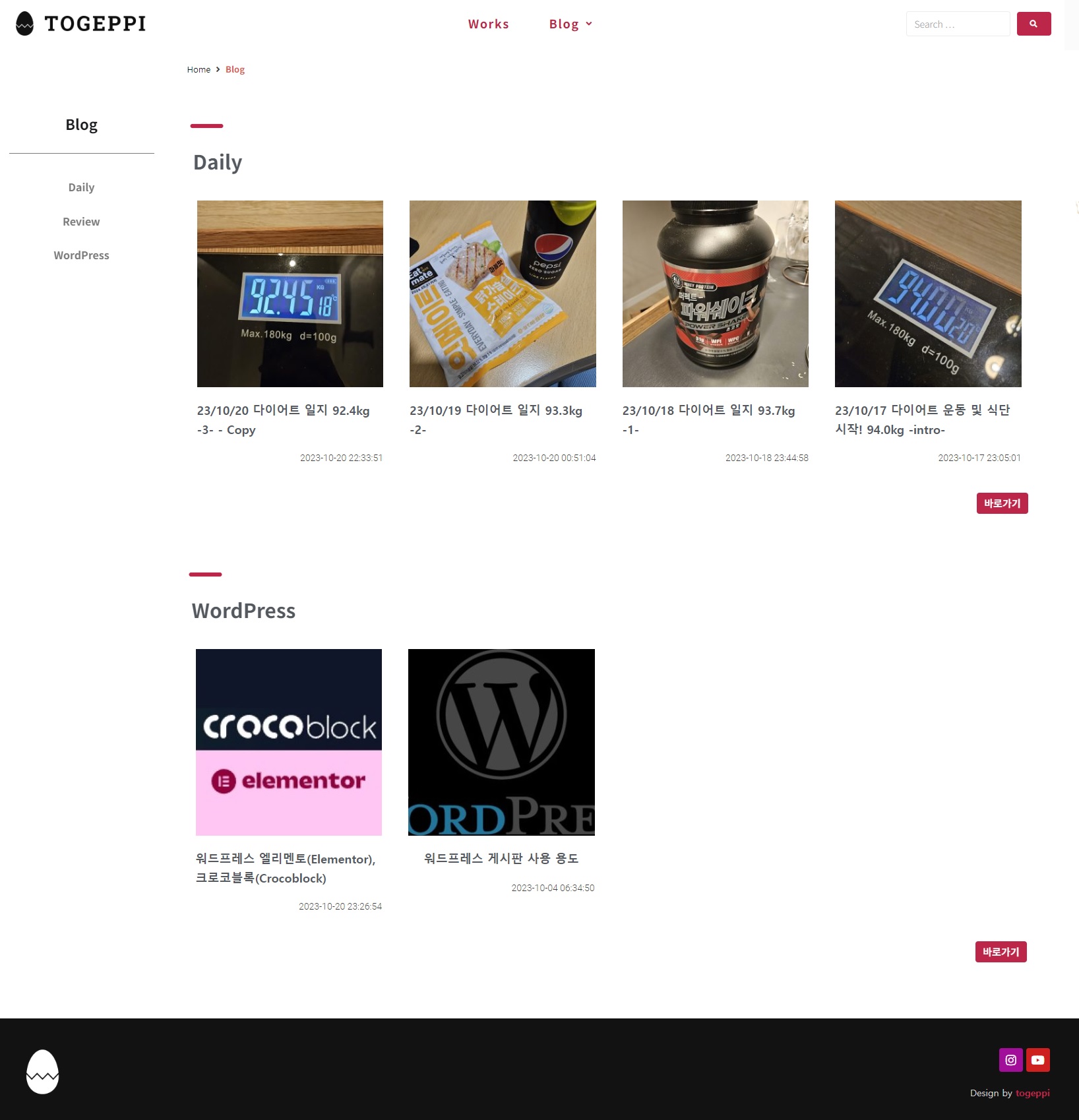
The screenshot above is of my blog page. I captured the PC version and edited it a bit, so it may look slightly different.
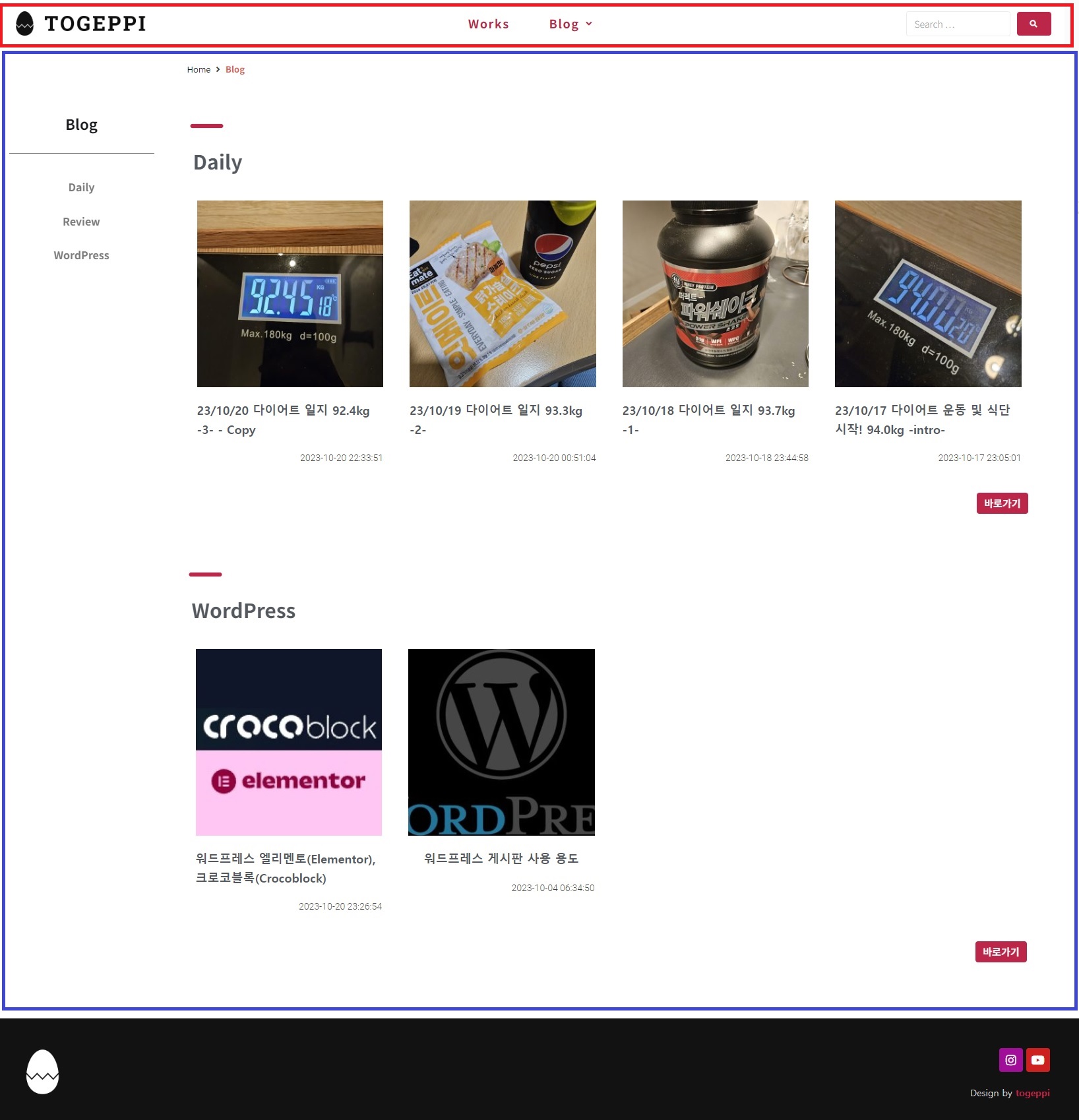
So, looking at it this way, the part marked in red at the very top is the header.
The box marked in blue below it is the body,
and the black part at the very bottom is the footer.
Seeing it in a picture, you get the idea, right? It’s a layout you see all the time when browsing the web.
In my view, these three are the basics that make up a page. Others might divide it differently, but in terms of what’s actually visible, I think this is how it breaks down!
Depending on how you apply styles within this, you can create your own design..
So now let’s look at what each one is like!
Header
What is a header usually made up of?
Actually, there’s no fixed answer to this. It varies wildly depending on how you think about it and design it.
Still, to give some common examples,
The site logo
The main menu layout
Login/logout buttons
A sign-up button
A search button
Social links
That’s probably about it. If you’re reading this, you probably think so too!

On my blog, the blog logo sits on the left, the main menu in the middle, and I’ve put a search button on the right.
And I’ve set it to follow along as you scroll down. I’ll post about how to set that up later.
Not that hard, right?
Body
So what about the body?
Usually when we talk about viewing content, that content goes in the body.
Whatever you’re looking for or want to see is displayed in this body.
In the end, you can think of the header, footer and body as a picture-frame-like structure that makes up a website, and among them the body is the part that displays the content.
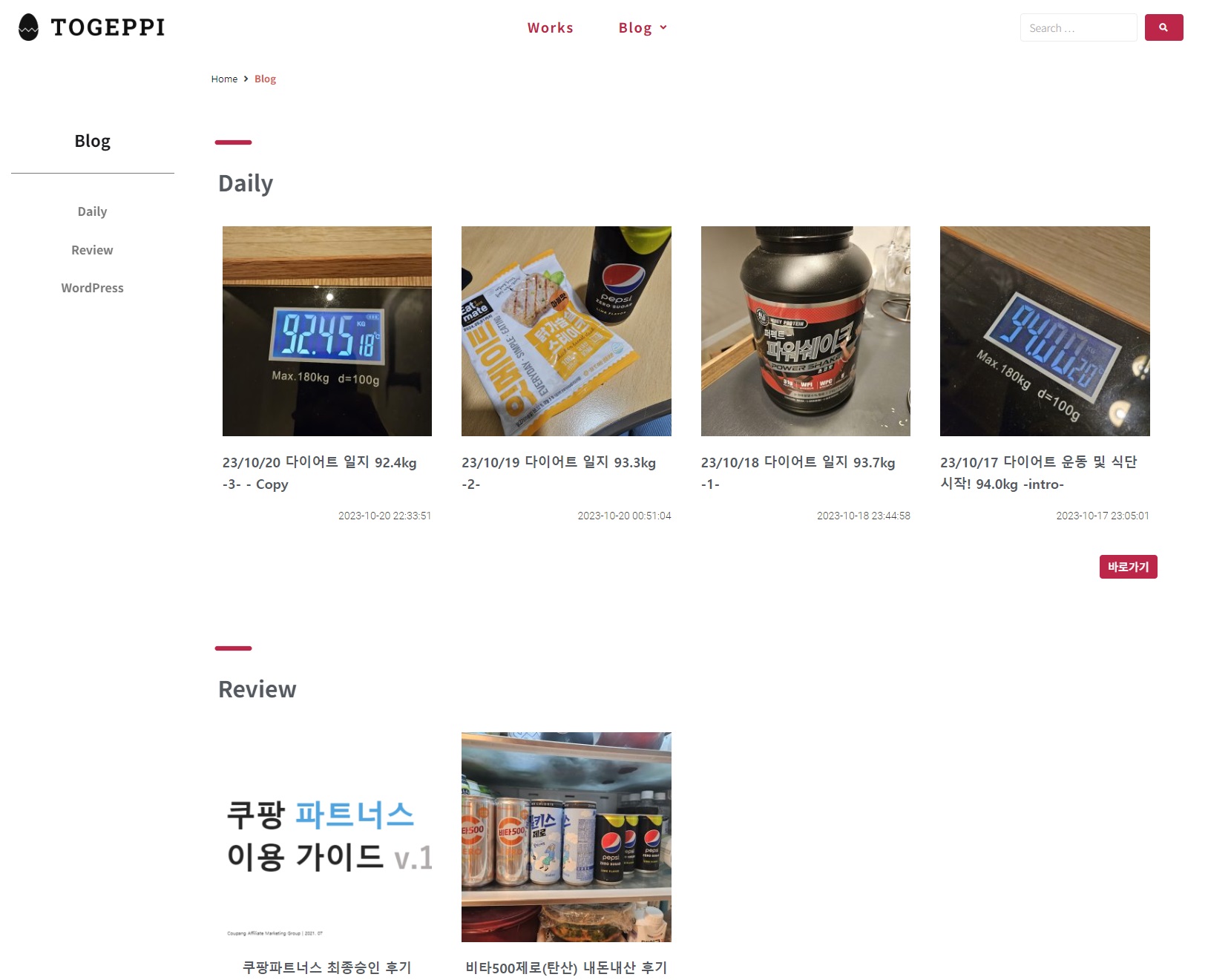
The screenshot above is the ‘Blog’ page on my blog.
If you look at the submenu on the left, you can see that as of the time of writing there are three menus under Blog: Daily, Review and WordPress.
And in the middle, the posts I’ve uploaded are listed by category.
Let’s take a look at the picture below as well.

The screenshot above is the screen you get after clicking a post in the Daily category. Can you tell what’s different from the previous screenshot?
On the previous page, the body was split into the submenu and the post listing, whereas in the current screenshot you can see it’s split into submenu / post content / Table of contents.
I applied these settings separately, and you can too. I wanted to show you that you can design the body differently for each page and post like this.
Footer
The last part of this topic: the footer. What does a footer usually contain?
As I mentioned earlier, this can vary by design, and some sites have no footer at all. For example, on YouTube’s homepage, every time you scroll down it loads new content and keeps going further down (Infinity Scroll). In a case like that, there can’t be a footer.
Generally, for a company website the footer might hold company information, terms of service and so on, and it could also hold social links, a sitemap, a logo and so forth.
In my blog’s case, since it’s a personal blog and I like things simple, I didn’t put much in it.

I put in the symbol from my blog logo and my social links.
Summary
Do you understand the header, body and footer a little better now?
It’s not a difficult concept, but when I first encountered it, it didn’t feel easy.
Bottom line: think of the header, body and footer as something like the picture frame of a website.
Once you’ve built the whole frame, even if you only put text into the post content, it gets displayed inside that header/footer/body frame.
If you wrote text without these 3 elements, you’d just see letters written on a white background.
WordPress is what helps you build this header, footer and body easily with a few clicks instead of programming,
Elementor is the plugin that makes that WordPress a bit more convenient to use,
and Crocoblock is the plugin that broadens the extensibility so you can easily implement more features. (Based on the plugins I use)
See you again in the next post.
